Hansel for Mac
Hansel for Mac brings your Grimmory collection and EPUB and PDF reading to the desktop.
See Hansel for Mac →HANSEL / KOREADER & MAC
Organise it in Grimmory.
Open it with Hansel.
Your books and shelves, right in KOReader and on your Mac. Choose what to read, and download the books you want to keep with you.

THE LIBRARY LIVES IN ONE PLACE
Add books. Arrange shelves. Edit metadata. Do it once in Grimmory; open that collection wherever you read.
Books · Covers · Shelves · Series · Authors · Tags
Hansel for Mac brings your Grimmory collection and EPUB and PDF reading to the desktop.
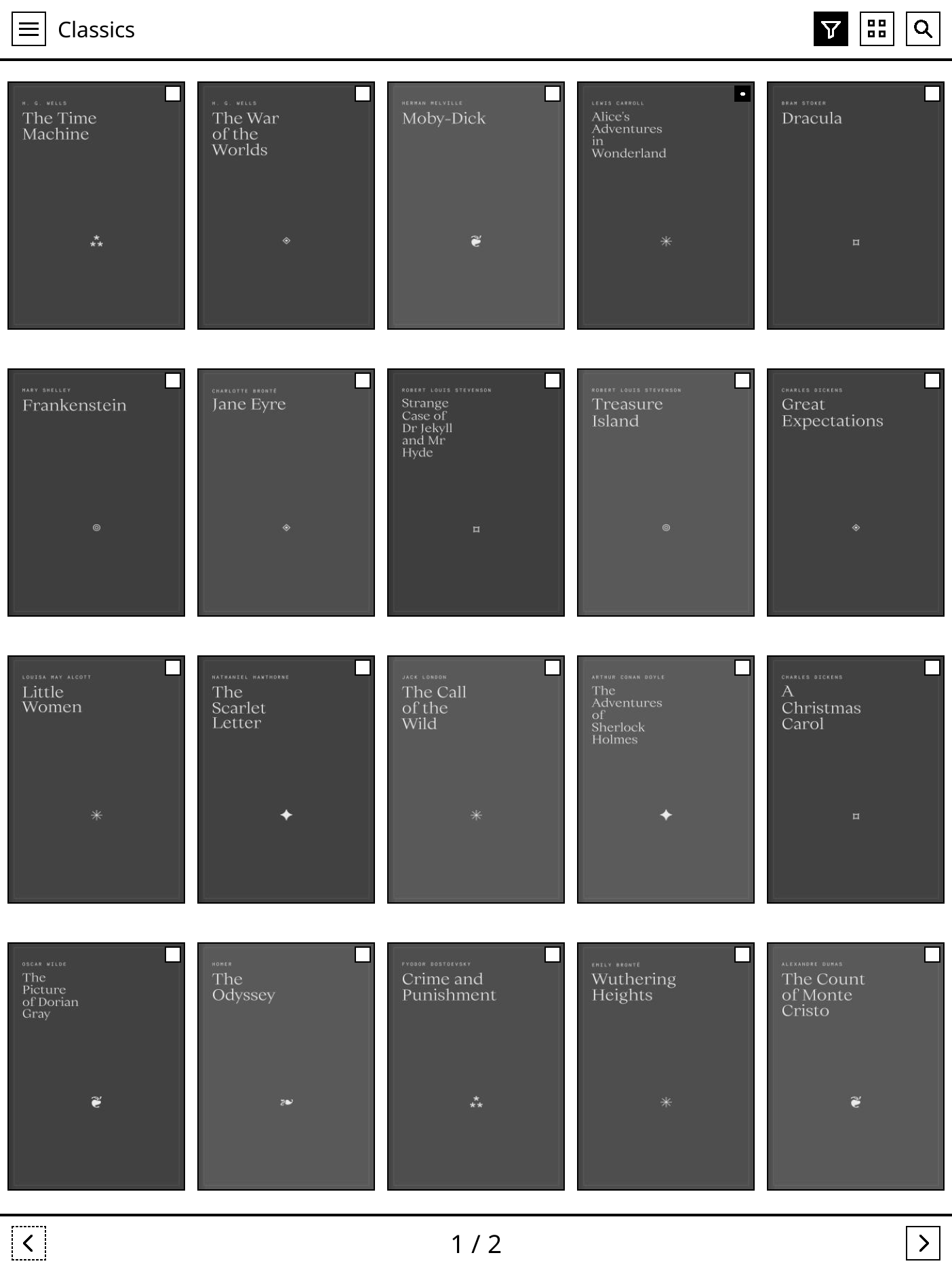
See Hansel for Mac →Make your server’s cover grid the entrance to your e-ink reader. Tap a book to download it and open it in KOReader.
See the KOReader experience →Book files are downloaded locally for reading. Your master collection stays in Grimmory.
01 / ORGANISE ONCE
Your “Read next” shelf shouldn’t need rebuilding on every device.
Shelves, series, authors, genres, and tags come from Grimmory. Browse your collection, including the books you haven’t downloaded yet.
Try it: save a server book, switch to On This Device, then remove the local copy. It stays in the library.
Sample only; no files are downloaded.
02 / KEEP THE COLLECTION, SKIP THE FILE CHORES
You don’t have to fill the reader before you know what you want to read.
Browse the server’s collection. Download a book when you choose it. In the KOReader plugin, pin the books you want to keep through cleanup; remove a local copy when you’re done. The book on your server stays put.
Going away? Download first. When the server is out of reach, read the books already on the device. Reconnect to reach the rest of your library again.
03 / YOUR LIBRARY IS THE HOME SCREEN
Go straight from a cover to the first page.
Your Grimmory covers, shelves, search, and filters, right in KOReader. Tap a book to download and open it. No trip back to the file browser.
Set Start with → Hansel. Your library becomes KOReader’s home screen, with large targets and a grid made for e-ink.
Requires KOReader 2024.12+ with plugin support, including supported Android readers. Gretel is optional.
Get the KOReader plugin · v0.3.1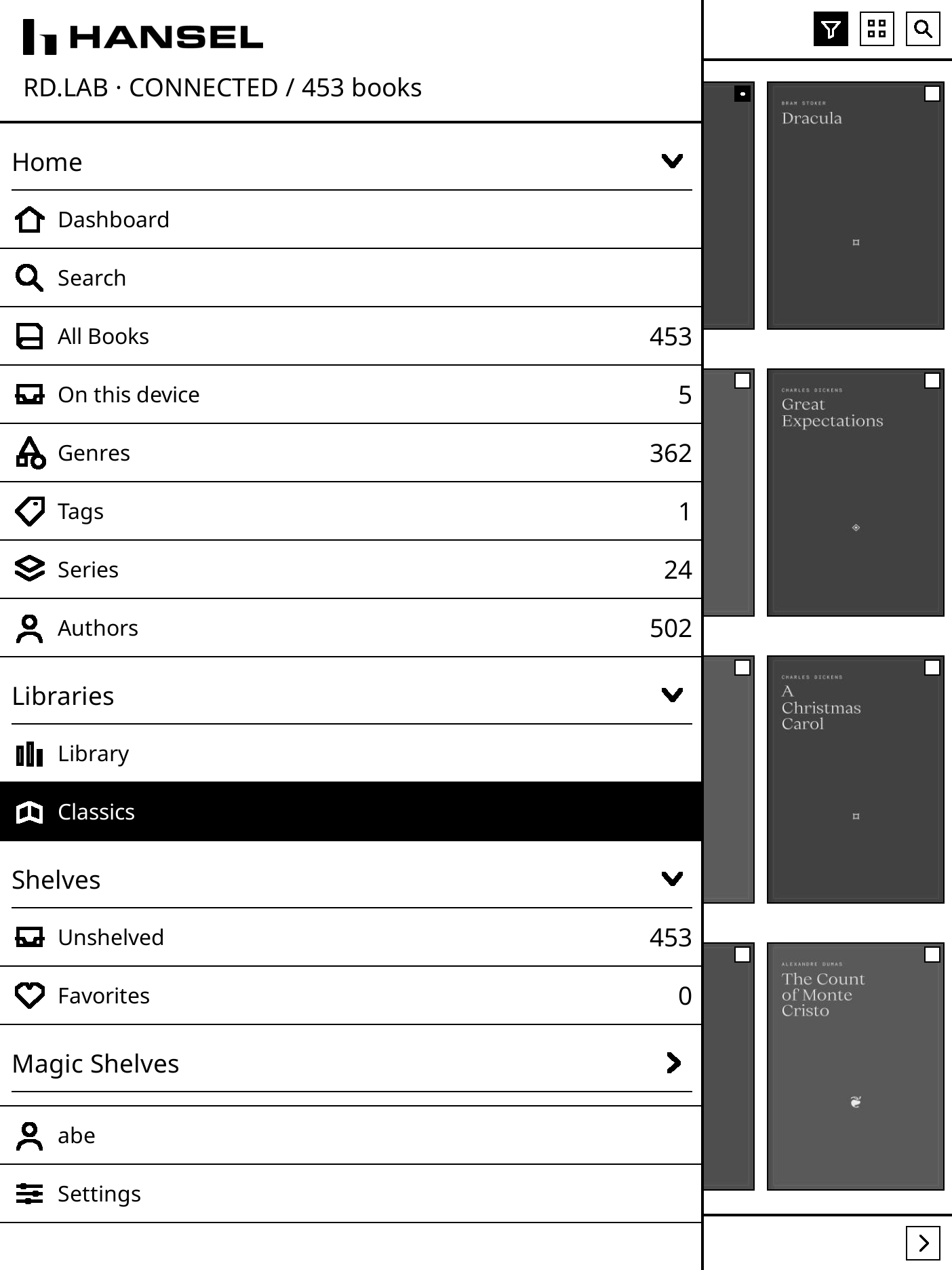
04 / HANSEL FOR MAC
Your Grimmory collection on a larger screen. The Mac reader currently opens EPUB and PDF, with downloaded books ready offline.


ONE BOOK / TWO SCREENS
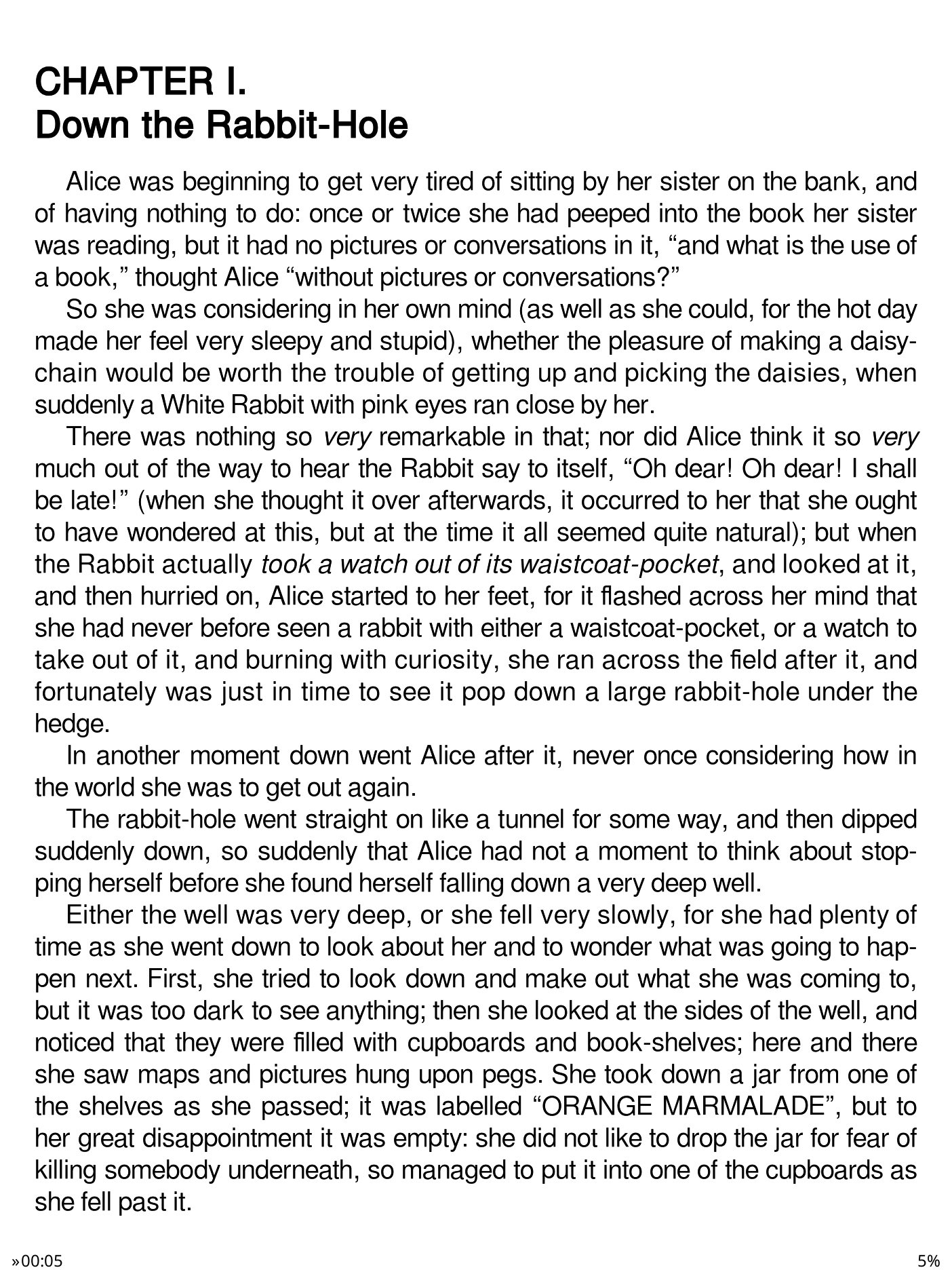
Alice’s Adventures in Wonderland, Chapter I. A quiet e-ink page on the reader; more room on your Mac.
Reading-position sync needs the same book file, configured Grimmory sync, and a connection.
05 / YOUR PLACE BELONGS WITH YOUR BOOK
Your reading position can travel through the same server as your books.
With Grimmory’s KOReader sync and web-reader bridge configured, EPUB progress can move between the Mac edition, KOReader, and Grimmory’s web reader. Position transfer depends on the book and server configuration.
The Mac edition offers a choice when the server has a later position. The KOReader plugin’s progress sync is opt-in and stands down when another supported sync plugin is handling it. Both devices need a connection to exchange progress. The Mac app keeps an unsent position on this Mac, including after you quit. It sends that position after you reconnect with the same account only while progress sync is not Off and Work offline is off. A new install leaves progress sync on Auto and Work offline off. Turning sync Off, or turning Work offline on, keeps the saved position on this Mac and does not send it. A position kept locally is not yet one the server has received.
You’re at 32% here.
Your server has a later position: 48%.
Choose where to continue in this example.
06 / MAKE THE WHOLE DEVICE A READER
Hansel makes your library the first thing KOReader shows. Gretel makes KOReader the app your Android reader comes home to. Together, they take you from the Home button to the collection you keep in Grimmory.
Choose KOReader in Gretel, make Gretel your Android home app, and set KOReader to start with Hansel. You can still reach settings: press Home twice quickly. It’s a reading-first setup you can change whenever you want.
THE READING TOOLS / SIDE BY SIDE
Grimmory keeps the books and their organisation. Hansel for Mac includes its own reader; Hansel for KOReader brings your collection to KOReader’s reading tools.
Grimmory organises and serves your books, covers and reading progress. Its browser reads EPUB, PDF and comics. A format stored on the server may still need a compatible reader.
Grimmory’s documented formats ↗KOReader opens the downloaded book and provides typography, chapter navigation, highlights and PDF tools. Hansel adds the Grimmory library, downloads and optional progress sync.
KOReader’s reading tools ↗Hansel for Mac currently opens EPUB and PDF. The KOReader plugin uses KOReader to read formats served by Grimmory. MOBI, FB2 and CBZ are documented KOReader capabilities; they have not been verified on this device.
Scroll across to compare
| Reading feature | Hansel for MacReads EPUB and PDF | Hansel for KOReaderReads with KOReader |
|---|---|---|
| EPUB | Built in | Via KOReader |
| Built inDevice validation pending | Via KOReaderDevice validation pending | |
| MOBI / FB2 | Not supported in the Mac app | Documented KOReader capabilityNot device-verified |
| CBZ comics | Not supported in the Mac app | Documented KOReader capabilityNot device-verified |
| EPUB text size, spacing & margins | Basic reader controls | KOReader controls |
| Chapter navigation | EPUB contents PDF outline, when present | KOReader contents |
| Highlights, notes & bookmarks | Not included | KOReader toolsNo Hansel annotation sync |
| Offline reading | Downloaded EPUB and PDF | Downloaded books Cached catalogue |
| Reading-position sync | Grimmory progress sync | Optional Hansel syncLeaves sync to another active plugin |
Controls vary by format. PDF uses page and zoom controls; EPUB supports adjustable typography. KOReader format support also depends on the reader’s build.
Position handoff requires the same book file and configured Grimmory sync. Positions are approximate; typography and annotations do not transfer between these clients.
Server and reader documentation: Grimmory EPUB reader ↗ · Grimmory PDF reader ↗ · Grimmory + KOReader sync ↗ · KOReader user guide ↗
BEFORE THE FIRST CHAPTER
Keep your books here. Sign into the same server from each Hansel client. Your server must be reachable to browse uncached content, fetch books, and sync.
macOS 14+.
EPUB and PDF reading built in.
KOReader 2024.12+ with plugin support. Reading formats depend on KOReader. The plugin is v0.3.1; compatibility on your device depends on its KOReader build.
Downloaded books stay available on your device. To browse uncached library content, download new books, or sync, your Grimmory server must be reachable from your current network.
Grimmory holds your master collection and its organisation. Hansel caches catalogue information and downloads local book files for reading. Those local copies let you read offline; they don’t replace your server library. In the KOReader plugin, removing a downloaded copy leaves the server’s book untouched.
Use your Grimmory server address and account. There is no separate ABEANT account. Gretel is an optional Android home app; it is not needed for Hansel on Mac or in KOReader.
Use the same book and Grimmory account, with KOReader sync configured against your server. EPUB handoff uses Grimmory’s web-reader bridge. Position transfer depends on server configuration and document compatibility.
The Mac app stores its refresh token and optional KOReader sync credentials in macOS Keychain. The plugin stores credentials obfuscated in KOReader settings; this is not Keychain storage or encryption.
Check for Updates in build 9 reads https://updates.abeant.com/hansel/appcast.xml. Builds 7 and 8 read https://abeant.github.io/hansel/appcast.xml, which offers them build 9. After they install build 9, they use the new feed. Install KOReader plugin updates manually from the plugin’s release page.

Bring your own server and books. Independent project, not affiliated with Grimmory or KOReader.
Get occasional emails about Hansel and games from ABEANT, including new releases, updates, and offers.