Puzzle game
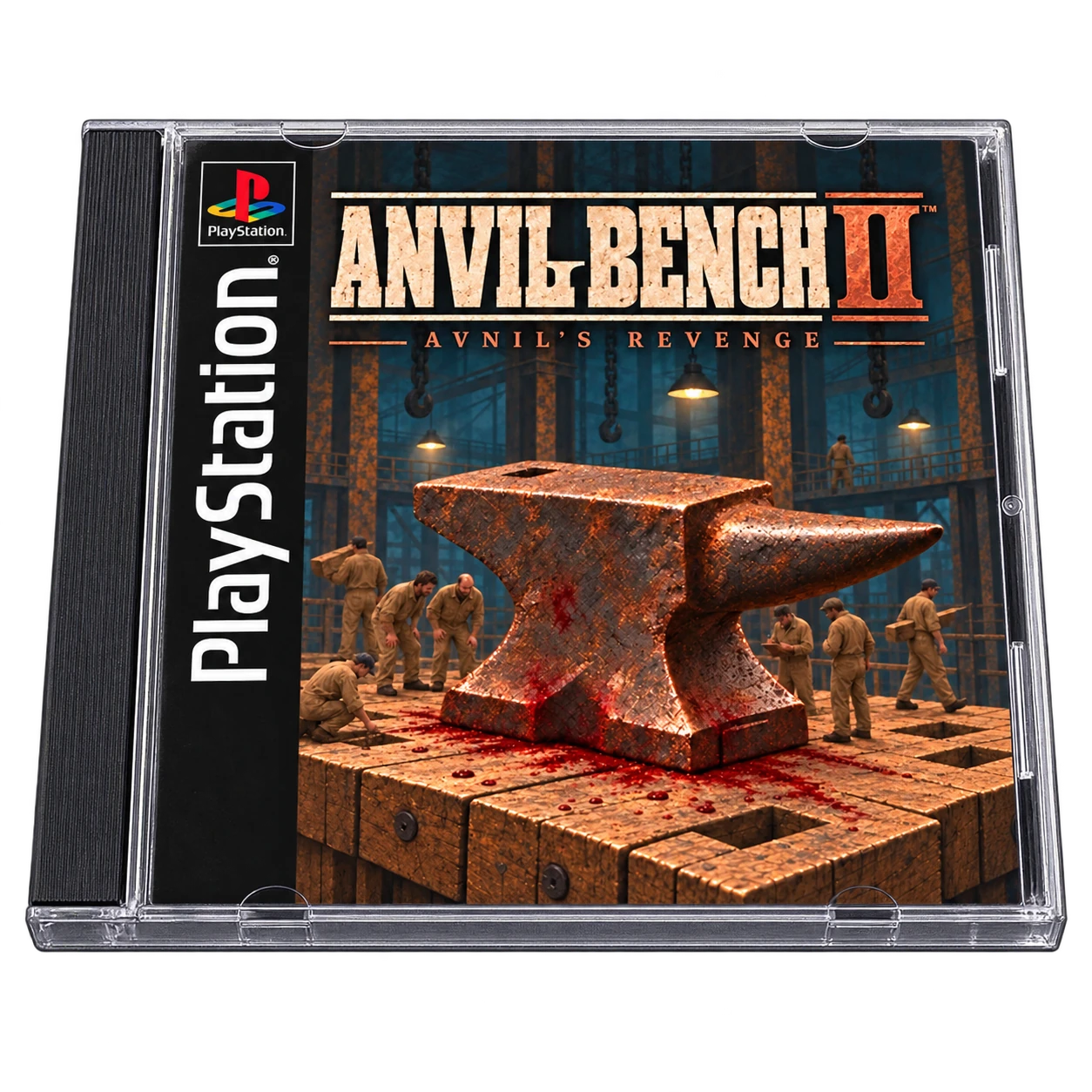
Familiar controls. Bigger screen.

Browse your handheld’s game library on your Mac. Pick a game and play on the bigger screen. Your handheld keeps running it.
Free · No account required. Play on Mac does not start a Mac session.
Now playing · Night Clerk
Launch from your Mac, or send a game from the Android companion.
Your handheld already has the games, emulators and saves. Puck uses that same setup on your Mac.
| Separate copiesOn every device | Home serverFiles or streaming | Handheld + PuckThe setup you have | |
|---|---|---|---|
| Game files | Extra upkeep: Copy ROMs to every device. |
Extra upkeep: Manage network access or local copies. |
Benefit: No extra ROM collection on Mac. |
| Emulator setup | Extra upkeep: Configure each machine. |
Extra upkeep: Configure clients or a streaming host. |
Benefit: Use your existing setup. |
| Your saves | Extra upkeep: Keep separate saves in sync. |
Extra upkeep: Set up syncing or shared storage. |
Benefit: Play from the same saves. |
| Away from home | Extra upkeep: Prepare each device. |
Extra upkeep: Reach your home setup or prepare offline copies. |
Benefit: Your setup comes with you. |
Use your handheld’s controls, your Mac’s keyboard, or a controller connected to your Mac.
Familiar controls. Bigger screen.

Your keyboard. Your adventure.

Bring the arcade feel.
Mac controller · Needs testingExplore connections, controls and compatibility.
Your handheld + Mac
Connect a data cable and approve Android debugging. Start with USB; the handheld stays connected while you play.
Wireless Debugging pairing and recovery have been tested on the RG405V with GammaOS and Android 12, including Wi-Fi loss and reconnection without root. Broader firmware, network and long session testing remain open.
The companion can be installed through Puck over authorized USB. Installation and updates have been tested on the RG405V with GammaOS and Android 12.
Recovery after Wi-Fi toggles was tested without root, and a user reported recovery after walking away in about 10 to 20 seconds. Two physical Macs, different access points, reboot and stock firmware still need tests. Recovery does not guarantee an uninterrupted game session.
Development is centered on the Anbernic RG405V. Other Android models and firmware need complete connection, playback, control and exit tests.
Puck remembers separate Mac destinations. Selecting and using two physical Macs with the same handheld has not yet been tested end to end.
A bigger place to play
Puck provides search, system browsing, recent games and cover artwork. Your game files stay on the handheld; library information and artwork are stored on the Mac.
Choose a game from your Mac library. Puck uses the handheld’s Daijisho selections or an explicit RetroArch playlist mapping. ES-DE settings for starting a new game are still being integrated.
Bring a supported RetroArch game already running on your handheld to the Mac. Pickup has been tested through ES-DE and Daijisho on the RG405V.
Live game video has been observed in the native Mac player on the RG405V with RetroArch. Performance and display behavior on other combinations remain to be tested.
Sound streaming, volume and mute are implemented. A complete sound test across the intended devices and connection methods is still needed.
The Mac player supports fullscreen and integer scaling. Aspect fitting and refusing cropped integer frames have regression checks. Resolution and display behavior on additional handhelds still need coverage.
Import RetroArch playlists or scan ROM folders on your handheld. Finding your games does not require Daijisho.
A screenshot action is implemented in the player. Saving the correct game image and finding it afterward still need hardware verification.
Keep it in your hands
Physical controls have been observed working on the RG405V after a RetroArch return, with Zelda responding and the user confirming movement. Other devices, cores and control assignments need testing.
Tested setupRetroArch · RG405V
Another way to playKeyboard gameplay input is implemented and has reached RetroArch on the RG405V. The September 20 UHID fix corrected Android key delivery; a later live Zelda test confirmed Mac Return advanced the game. More device and emulator combinations still need coverage.
Mac controller input paths are implemented. Controller models, player assignment, emulator mappings and live handoff behavior still need hardware testing.
Mac Escape pause and resume were exercised on the RG405V without restarting RetroArch. The observed game process remained alive.
Rebind game actions in Controls settings and reset them to defaults. Mapping persistence, reassignment and reset behavior have automated checks. Emulator bindings and controller ownership still vary by setup.
An optional companion service routes supported Home, Guide or Menu inputs during an active stream. Android permissions, reserved system buttons and physical input behavior vary by handheld.
The player has a fast forward control linked to the emulator command path. Actual behavior and compatibility still need hardware verification.
Your games, your progress
Tested setupRetroArch · RG405V
End the session with a saveSave and quit is verified with Genesis Plus GX on the RG405V. Puck closes RetroArch normally and collects an accessible save backup. Other emulator and device combinations need testing.
Tested setupRetroArch · RG405V
A copy on your MacAvailable save backups stay on your Mac. Coverage depends on the emulator’s configuration and Android access permissions.
Live return is available, but can leave the picture frozen or cropped, or the game unresponsive. Save in the game before ending a Mac session. A surviving process does not prove playable progress.
Save and load slot controls are implemented. Successful creation and restoration need to be tested for each relevant RetroArch core and configuration.
Puck can inspect and adjust supported RetroArch saving settings. A configured setting does not prove a saved state will restore; game overrides, core behavior and complete restore tests still matter.
The current interface can report save backups, but the backup restore interface is still incomplete. A collected backup is not proof of a tested restoration.
Puck does not currently provide cloud save synchronization. Games and emulator saves live on the handheld; available backups are collected locally on the Mac.
Requires macOS 15 or later. The current Mac build needs Android Debug Bridge (adb) installed separately. Connect your Android handheld with a USB data cable to get started.
Authorize Android debugging to connect. The optional Puck Companion targets Android 11 or later.
Use a data cable and approve your Mac on the handheld. Keep the handheld powered on and connected while playing.
Current hardware evidence comes from the RG405V with GammaOS and Android 12. Other Android models are open for testing.
Start with RetroArch. Check the Systems tab for tested combinations and emulator coverage.
Keep your handheld frontend. Running RetroArch games can be picked up through either. Starting a new game from the Mac currently uses Daijisho selections or explicit RetroArch playlist mappings.
The game files stay on your handheld. Linux only handhelds and iOS devices are outside the current Android workflow.
Start with RetroArch. Select a system for its emulator options and the setup we’ve tested.
A launch recipe is configured in Puck. Game playback, controls, saves and return behavior still need verification for this system on your device.
A launch recipe is configured in Puck. Game playback, controls, saves and return behavior still need verification for this system on your device.
A launch recipe is configured in Puck. Game playback, controls, saves and return behavior still need verification for this system on your device.
A launch recipe is configured in Puck. Game playback, controls, saves and return behavior still need verification for this system on your device.
Coverage noteTile pickup tested
Emulator optionsRetroArch · Beetle NeoPopRunning-game pickup has been tested on the RG405V. Controls, saves and return behavior still need verification. Beetle NeoPop is the configured RetroArch core.
A launch recipe is configured in Puck. Game playback, controls, saves and return behavior still need verification for this system on your device.
A launch recipe is configured in Puck. Game playback, controls, saves and return behavior still need verification for this system on your device.
A launch recipe is configured in Puck. Game playback, controls, saves and return behavior still need verification for this system on your device.
A launch recipe is configured in Puck. Game playback, controls, saves and return behavior still need verification for this system on your device.
A launch recipe is configured in Puck. Game playback, controls, saves and return behavior still need verification for this system on your device.
Coverage noteStandalone recipe
Emulator optionsSudachi / YuzuStandalone launch recipes are present. No complete hardware acceptance result was found in this audit. Save backups, automatic resume setup and live pickup are not verified for these emulators.
A launch recipe is configured in Puck. Game playback, controls, saves and return behavior still need verification for this system on your device.
A launch recipe is configured in Puck. Game playback, controls, saves and return behavior still need verification for this system on your device.
A launch recipe is configured in Puck. Game playback, controls, saves and return behavior still need verification for this system on your device.
Coverage noteRG405V · Limited testing
Emulator optionsRetroArch · Genesis Plus GXMac launch, save and quit, and save backups have been tested with Genesis Plus GX on the RG405V. Broader game coverage and live return still need testing.
A launch recipe is configured in Puck. Game playback, controls, saves and return behavior still need verification for this system on your device.
A launch recipe is configured in Puck. Game playback, controls, saves and return behavior still need verification for this system on your device.
A launch recipe is configured in Puck. Game playback, controls, saves and return behavior still need verification for this system on your device.
Coverage noteMac pickup · RG405V
Emulator optionsRetroArch · PCSX ReARMedRunning-game pickup has been tested on the RG405V. PCSX ReARMed is the configured RetroArch core; controls, saves and live return still need verification.
A launch recipe is configured in Puck. Game playback, controls, saves and return behavior still need verification for this system on your device.
A launch recipe is configured in Puck. Game playback, controls, saves and return behavior still need verification for this system on your device.
A launch recipe is configured in Puck. Game playback, controls, saves and return behavior still need verification for this system on your device.
Coverage noteStandalone recipe
Emulator optionsAetherSX2 / NetherSX2Standalone launch recipes are present. No complete hardware acceptance result was found in this audit. Save backups, automatic resume setup and live pickup are not verified for these emulators.
Coverage noteStandalone recipe
Emulator optionsDolphin and forksStandalone launch recipes are present. No complete hardware acceptance result was found in this audit. Save backups, automatic resume setup and live pickup are not verified for these emulators.
Coverage noteStandalone recipe
Emulator optionsDolphin and forksStandalone launch recipes are present. No complete hardware acceptance result was found in this audit. Save backups, automatic resume setup and live pickup are not verified for these emulators.
A launch recipe is configured in Puck. Game playback, controls, saves and return behavior still need verification for this system on your device.
A launch recipe is configured in Puck. Game playback, controls, saves and return behavior still need verification for this system on your device.
A launch recipe is configured in Puck. Game playback, controls, saves and return behavior still need verification for this system on your device.
A launch recipe is configured in Puck. Game playback, controls, saves and return behavior still need verification for this system on your device.
A configured recipe is a starting point. Testing covers a particular game, emulator and handheld, rather than every game for a system.
System icons from RetroArch assets · CC BY 4.0
25 colorways inspired by classic hardware. Make Puck yours.
Share feedback, offer a spare handheld, or support development.
Found an issue? Tried a different handheld? Share what worked and what needs attention.
Have a spare Android handheld? Send us the model and condition, and we’ll coordinate the details.
Offer a deviceHelp fund development and testing hardware. Puck stays free.
Support on PatreonYes. Puck is free, with no Puck account required. Financial support is optional.
The handheld runs the game. Puck brings its picture and sound into a Mac window, so keep your handheld powered on and connected. Save in-game before ending a session.
No second ROM collection is needed. Game files stay on your handheld; Puck stores library information, artwork, and available save backups on the Mac. Keep a separate backup of your collection too.
Bring your own games and any BIOS files your emulator needs. The website demos use fictional sample games.
Bring your handheld games to a bigger screen. Free for Mac, with an Android companion for your handheld.
Third-party noticesFree · No account required. Play on Mac does not start a Mac session.
Setup & compatibilityGet occasional emails about Puck and games from ABEANT, including new releases, updates, and offers.